
Do you want to save a YouTube video as an MP3 file, or listen to a podcast offline? It is a legitimate question, and you are not the only one asking it.
The short answer: using a “YouTube to MP3 converter” website carries real legal and security risk, and we do not recommend it. This guide walks through the legal and practical ways to work with YouTube audio in 2026 instead.
In this guide:
- Why YouTube to MP3 converter sites are risky
- 5 safe alternatives, compared
- How to turn YouTube audio into searchable text with Felo Subtitles
- Frequently asked questions
What Is a “YouTube to MP3 Converter”?
A YouTube to MP3 converter is any website where you paste a YouTube URL and get an MP3 file back. They are called “converter sites” or “rippers”, and almost all of them operate in the grey zone of YouTube’s Terms of Service.
Why the legal risk is real
- Terms of Service: YouTube’s ToS explicitly prohibits downloading content except through the provided download buttons.
- Copyright infringement: copying music or video without the rights holder’s permission is a reproduction of a protected work.
- Security risk: free converter pages are a classic malware delivery channel.
Where this sits in US copyright law
In the United States, ripping audio out of a YouTube video without permission is not a grey area — it is a straight reproduction of a copyrighted work. The Digital Millennium Copyright Act (DMCA) makes it a basis for civil claims, and the law is enforced:
- Statutory damages of $2,500 to $30,000 per workfor non-willful infringement, and up to$150,000 per work for willful infringement (17 U.S.C. § 504)
- Civil claims from the rights holder or their representative, including music labels and publishers
- Criminal exposure when DRM or other technological protection measures are circumvented
The Problem: 3 Risks of MP3 Converter Sites
Using a YouTube to MP3 converter site puts you up against three separate risks.
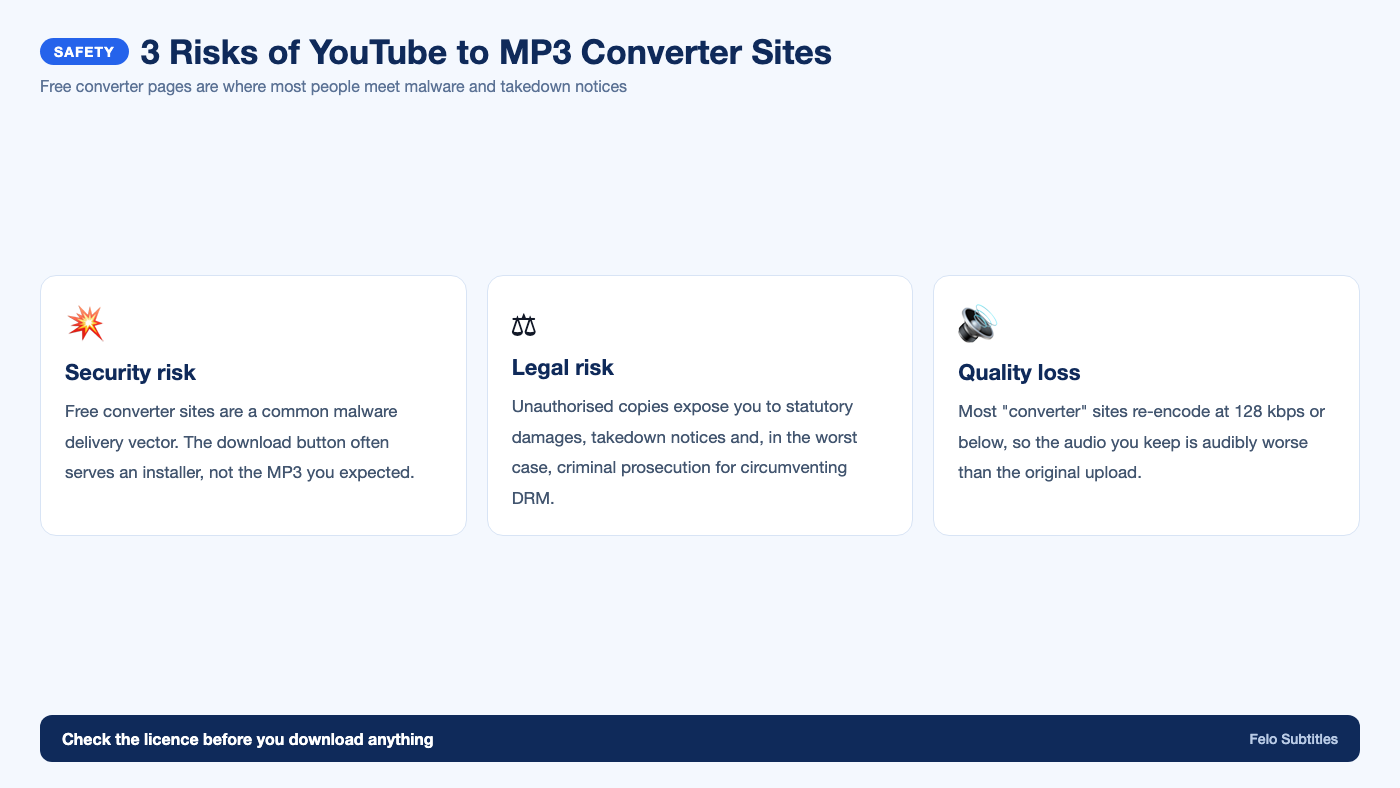
1. Security risk
Free tools and sketchy websites are a classic malware delivery channel. The “Download” button frequently hands you an installer instead of the MP3 you expected, and security vendors keep ranking “free video converter” pages among the higher-risk categories on the web. The damage ranges from a browser hijacker to credential theft.
2. Legal risk
YouTube is the most heavily fingerprinted platform on the internet. The U.S. Copyright Office’s 2021 Section 512 report estimated that roughly 98 percent of the content on YouTube is matched by rights-holder fingerprinting systems such as Content ID — which is exactly why ripped audio is detected reliably and acted on. The Recording Industry Association of America has also sued MP3 conversion services for mass infringement, and the labels keep going after individual downloaders.
3. Quality loss
Most converter sites re-encode at 128 kbps or below. You end up keeping a file that sounds audibly worse than the original upload, and you took on legal risk to get it.
Method 1: Use YouTube Premium / YouTube Music
The safest and most fully legal route is to use YouTube’s own paid service.
What the YouTube Premium individual plan gives you:
- Price: about $13.99 per month (US; prices vary by region)
- Features: offline playback, background play, no ads
- Legality: 100% legal
- Audio quality: up to 256 kbps
With YouTube Premium you can play videos offline inside the official app. You do not need an MP3 converter — but you also cannot keep the file itself.
Method 2: Use the built-in YouTube offline feature
Every YouTube app has an official offline playback feature.
What is available offline:
- Some music videos
- Videos you uploaded yourself
- Public domain content
How to do it:
- Open the video in the YouTube app
- Tap the “Download” button
- Play it back offline whenever you like
Method 3: Turn the audio into text with Felo Subtitles
If what you actually need is to understand the content, transcribing the audio is the better answer. It is not the same as saving an MP3 file, but it is far more useful for study, research and work.
Felo Subtitles transcribes the audio of a YouTube video in real time and then summarises, translates and searches it. Why it fits this job:
- High accuracy transcription — built on Azure Cognitive Services, above 95 percent accuracy
- Multi-language — supports 90+ languages
- Summaries — get the point of a long video without watching it
- Compliant — uses system audio capture, so it stays inside YouTube’s terms
For the same reason, transcribing YouTube video to text is the more efficient route for study and business use. If you work with audio files rather than videos, free audio-to-text transcription covers the same workflow.
Felo Subtitles turns YouTube audio into accurate text in real time
Method 4: Use public domain and your own content
When a work has entered the public domain, or when you uploaded the video yourself, you can convert it to MP3 legally.
Public domain and openly licensed sources:
- Classical music in the public domain
- Government and public broadcast archives
- Content released under a Creative Commons licence
These can be saved as MP3 without breaking any rule.
Method 5: Use a podcast app
For music and entertainment, a podcast app is the safe way to listen offline.
- Spotify — music and podcasts in one app
- Apple Podcasts — a large free podcast catalogue
- YouTube Music — official YouTube audio, subscription based
These services are completely legal. If you want to turn a recorded podcast into text instead, the same transcription workflow applies.
Comparison of all 5 alternatives
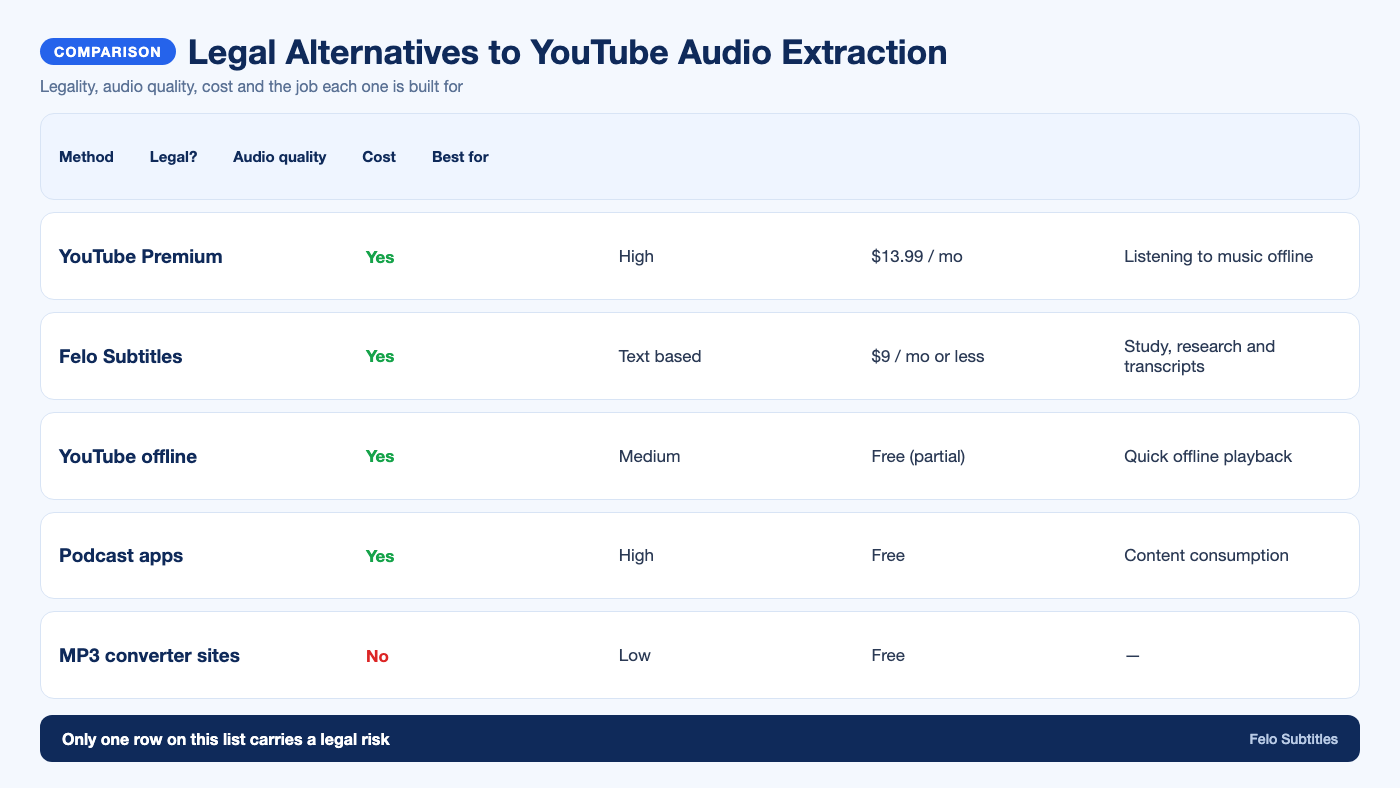
| Method | Legal? | Audio quality | Cost | Best for |
|---|---|---|---|---|
| YouTube Premium | ✅ Legal | High | $13.99 / mo | Listening to music offline |
| Felo Subtitles | ✅ Legal | Text based | $9 / mo or less | Study, research and transcripts |
| YouTube offline | ✅ Legal | Medium | Free (partial) | Quick offline playback |
| Podcast apps | ✅ Legal | High | Free | Content consumption |
| MP3 converter sites | ❌ Not legal | Low | Free | — |
How to use YouTube audio safely with Felo Subtitles
With Felo Subtitles you transcribe the audio of a YouTube video and then work with the text.
STEP 1: Install Felo Subtitles
Download and install the app from the Felo Subtitles official site. Mac and Windows versions are available.

STEP 2: Open the YouTube video
Open the video in your browser and start the recording in Felo Subtitles.
STEP 3: Check the transcription
The audio is turned into text in real time. English, Chinese, Japanese and more than 90 other languages are supported.
STEP 4: Work with the text
- Summarise: get the gist of a long video with an AI summary
- Translate: understand a video in another language
- Search: find a keyword in a video you watched weeks ago
If you broadcast yourself, the same workflow produces live captions for your stream.
Frequently asked questions (FAQ)
Q1: Are YouTube to MP3 converter sites illegal?
They break YouTube’s Terms of Service, and using one to copy protected music usually infringes copyright as well. Under the DMCA, the rights holder can sue for statutory damages of $2,500 to $30,000 per work, rising to $150,000 for willful infringement, and there is criminal liability when DRM is circumvented.
Q2: Is it fine to convert MP3s for personal use?
No. Personal use is not a blanket exception. Copying a work without permission is still infringement unless a specific statutory exception applies, and downloading a full song or a full episode rarely qualifies.
Q3: Which methods are safe?
- YouTube Premium / YouTube Music
- Transcribing with Felo Subtitles (for study and research)
- Public domain and openly licensed content
- Converting videos you uploaded yourself
Q4: Does Felo Subtitles break YouTube’s terms?
Felo Subtitles uses system audio capture, so it does not violate YouTube’s Terms of Service. No bot has to join the call, and participants are not notified.
Q5: How do I keep the audio without losing quality?
YouTube Premium plays back at up to 256 kbps offline. If you need the file itself, you need the rights holder’s permission — there is no converter that changes that.
Q6: Are podcasts free?
Yes. Spotify, Apple Podcasts and YouTube Music all have free tiers, and Felo Subtitles can turn any podcast episode into a transcript you can search.
Summary: pick a safe alternative
YouTube to MP3 converter sites carry real legal and security risk, and they are not worth it.
The legal alternatives:
- Listening to music offline → YouTube Premium (about $13.99 / month)
- Study and work → transcribe and summarise with Felo Subtitles
- Content consumption → a podcast app
- Offline playback → the built-in YouTube offline feature
- Voicemail and meeting notes → free voicemail transcription
Felo Subtitles turns YouTube audio into accurate text you can search, translate and summarise — legally and in real time. Try it free first.
Turn YouTube audio into text — safely, in real time
Start with Felo Subtitles free
No credit card required · Start in minutes