
YouTube hosts over 800 million videos, with 500 hours of new content uploaded every single minute. Whether you are a student researching a topic, a professional keeping up with industry talks, or a content creator looking for inspiration, watching every relevant video from start to finish is simply not realistic. A youtube summarizer solves this problem by extracting the key points from any video in seconds rather than hours.
But how does a YouTube video summarizer actually work? The process is straightforward: the tool first generates or retrieves a transcript of the video’s audio, then feeds that transcript through an AI language model that identifies the main ideas, arguments, and takeaways. The result is a concise summary you can read in under a minute — no matter how long the original video was.
In this guide, we compare the seven best tools to summarize youtube video content in 2026, walk through step-by-step instructions, and show you how to get even more value out of video transcripts beyond summaries alone. If you regularly work with audio-to-text transcription, you will find several of these tools familiar.
What Is a YouTube Summarizer?
A YouTube summarizer is a software tool or browser extension that condenses a full-length YouTube video into a short, readable summary by analyzing the video’s transcript with AI. Instead of watching a 45-minute lecture or a 20-minute product review, you receive a bullet-point or paragraph-form overview of everything that was said — typically in under 30 seconds.
Modern youtube summary ai tools rely on large language models (similar to the technology behind ChatGPT and Gemini) to understand context, filter out filler words, and highlight the most important statements. The best tools go further by providing timestamped key points so you can jump directly to the moments that matter.
How a YouTube Video Summarizer Works
The typical process follows three stages:
- Transcript extraction — The tool pulls the video’s auto-generated captions or manually uploaded subtitles. Some tools use their own speech-to-text engine for higher accuracy.
- AI analysis — The transcript is processed by a language model that identifies themes, arguments, data points, and conclusions.
- Summary generation — The AI produces a structured summary: bullet points, numbered key takeaways, or a narrative paragraph depending on the tool.
This pipeline means that any video with spoken content — lectures, podcasts, interviews, tutorials, conference talks — can be summarized. The quality of the summary depends heavily on the accuracy of the transcript and the sophistication of the AI model.
Why Use a YouTube Summarizer?
There are four primary reasons why over 12 million users worldwide now rely on a youtube video summarizer as part of their daily workflow.
1. Save Hours of Watching Time
The average professional watches 45 minutes of work-related video content per day (2025 Wistia State of Video report). A summarizer can reduce that to 5 minutes of reading while retaining 90% of the essential information. Over a month, that saves roughly 20 hours.
2. Accelerate Research and Learning
Students and researchers often need to review dozens of video lectures, conference presentations, or expert interviews. A youtube transcript summary turns each video into a scannable document that can be searched, highlighted, and cited — far more efficient than scrubbing through video timelines.
3. Power Content Creation Workflows
Content creators, marketers, and writers use summaries to quickly understand trending topics, gather talking points, and identify gaps in existing content. Instead of watching ten competitor videos, you can read their summaries side by side in minutes.
4. Break Language Barriers
Many summarizers — including Felo Subtitles — support multilingual transcription and translation. A Japanese-language conference talk can be summarized in English, or a Spanish tutorial can be condensed into French. If you frequently need to translate content across languages, a summarizer with built-in translation is invaluable.
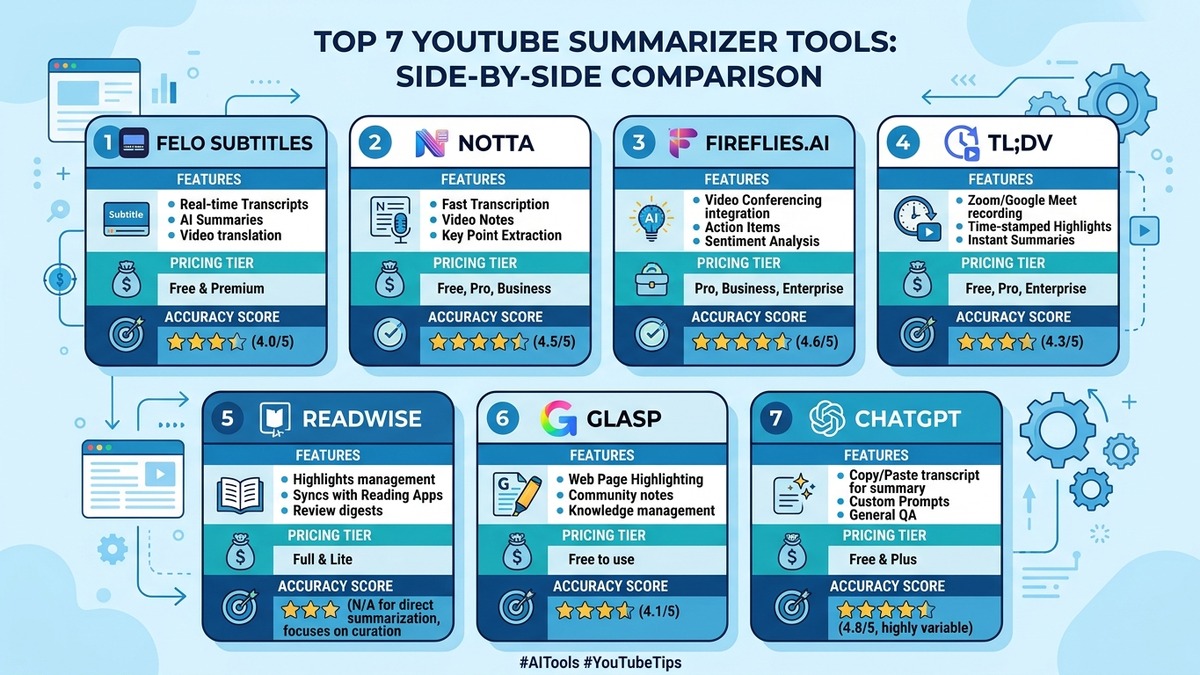
7 Best YouTube Summarizer Tools in 2026
We tested dozens of tools and narrowed the list down to seven that consistently deliver accurate, useful summaries. Here is how each one performs.
1. Felo Subtitles (Recommended)
Felo Subtitles is an all-in-one transcription, translation, and summarization platform that handles YouTube videos along with any other audio or video source. Unlike browser extensions that only work inside YouTube, Felo Subtitles captures system audio directly, which means it works with any website, app, or media player.
Key features:
- Real-time transcription with 95%+ accuracy across 90+ languages
- AI-powered summaries that extract key points, action items, and decisions
- Built-in translation — transcribe in one language, summarize in another
- Timestamped highlights so you can jump to specific moments
- Export options — download transcripts as SRT, TXT, or DOCX files
Why it stands out: Most tools force you to choose between transcription and summarization, or between English-only and multilingual support. Felo Subtitles combines all three capabilities (transcribe + summarize + translate) in a single interface with no browser extension required. For anyone who regularly works with video-to-text conversion, Felo delivers the most complete workflow.
- Pricing: Free tier available; Pro starts at $9/month
- Platform: Desktop app (Windows, macOS), Web
2. NoteGPT
NoteGPT is a browser extension and web app that generates summaries of YouTube videos using GPT-4 technology. It provides timestamped summaries and allows you to take notes alongside the video.
Key features:
- Chrome extension with sidebar summary panel
- Timestamped key points
- Note-taking alongside video playback
- Mind map generation from video content
Limitations: English-centric; multilingual support is limited. No built-in transcription engine — relies entirely on YouTube’s auto-captions, which can be inaccurate for technical content or accented speech.
- Pricing: Free tier (limited); Pro at $9.99/month
- Platform: Chrome extension, Web
3. Glasp
Glasp is a social highlighting tool that added YouTube summarization as a secondary feature. It generates AI summaries of videos and lets you share highlights with a community of users.
Key features:
- AI summary of any YouTube video
- Social sharing and community highlights
- Integration with Notion and Readwise
- PDF and article highlighting alongside video summaries
Limitations: The summarization is a secondary feature, so the summaries can be less detailed than dedicated tools. No transcript export in subtitle formats like SRT.
- Pricing: Free
- Platform: Chrome extension
4. YouTube Summary with ChatGPT (Chrome Extension)
This popular Chrome extension adds a “Transcript & Summary” button directly to the YouTube interface. It extracts the transcript and sends it to ChatGPT for summarization.
Key features:
- One-click summary from the YouTube page
- Uses ChatGPT or Claude for analysis
- Transcript copy button for manual workflows
- Works with any video that has captions
Limitations: Requires a separate ChatGPT (or Claude) account. Summary quality depends on your ChatGPT subscription tier. Does not work with videos that lack auto-captions.
- Pricing: Free extension; requires ChatGPT subscription for best results
- Platform: Chrome extension
5. Eightify
Eightify uses AI to break YouTube videos into eight key points (hence the name). It focuses on concise, scannable summaries designed for busy professionals.
Key features:
- Eight key insight format for quick scanning
- TLDR summary at the top
- Timestamped navigation
- Supports videos in 40+ languages
Limitations: The rigid eight-point format does not work well for all content types. Some nuance is lost in the compression. Limited export options.
- Pricing: Free tier; Pro at $4.99/month
- Platform: Chrome extension, iOS app
6. Summarize.tech
Summarize.tech is a simple web-based tool: paste a YouTube URL, and it returns an AI summary. No installation, no account required.
Key features:
- No sign-up required
- Works instantly in any browser
- Handles long videos (1 hour+)
- Paragraph-form summaries with timestamps
Limitations: No transcript export, no translation, no customization. The summaries tend to be longer and less structured than competitors. Accuracy drops for non-English content.
- Pricing: Free
- Platform: Web only
7. Manual Method (Copy Transcript + Paste to ChatGPT)
You can always do it yourself: open the YouTube transcript panel, copy the text, and paste it into ChatGPT, Claude, or any other AI chatbot with a custom prompt.
Key features:
- Complete control over the prompt and output format
- No additional tool or extension needed
- Works with any AI model you have access to
Limitations: Time-consuming (3-5 minutes per video instead of 10 seconds). YouTube’s built-in transcript is often inaccurate with poor formatting. No automation for batch processing. You lose timestamped navigation.
- Pricing: Free (with an existing AI chatbot subscription)
- Platform: Any
YouTube Summarizer Comparison Table
| Tool | Accuracy | Languages | Translation | Transcript Export | Pricing |
|---|---|---|---|---|---|
| Felo Subtitles | 95%+ (own engine) | 90+ | Yes | SRT, TXT, DOCX | Free / $9 mo |
| NoteGPT | Depends on YT captions | English-focused | No | TXT only | Free / $9.99 mo |
| Glasp | Depends on YT captions | English-focused | No | No SRT export | Free |
| YT Summary + ChatGPT | Depends on YT captions | Multi (via ChatGPT) | Via ChatGPT | Copy-paste only | Free + ChatGPT sub |
| Eightify | Depends on YT captions | 40+ | No | Limited | Free / $4.99 mo |
| Summarize.tech | Depends on YT captions | English-focused | No | No | Free |
| Manual (ChatGPT) | Depends on YT captions | Multi (via prompt) | Via prompt | Manual copy | Free + AI sub |
A key differentiator: most tools rely on YouTube’s auto-generated captions, which have an estimated accuracy of 60-70% for non-English content and 80-85% for clear English speech. Felo Subtitles uses its own speech recognition engine, which delivers 95%+ accuracy and handles accented speech, technical jargon, and background noise significantly better.
How to Summarize a YouTube Video with Felo Subtitles: Step-by-Step
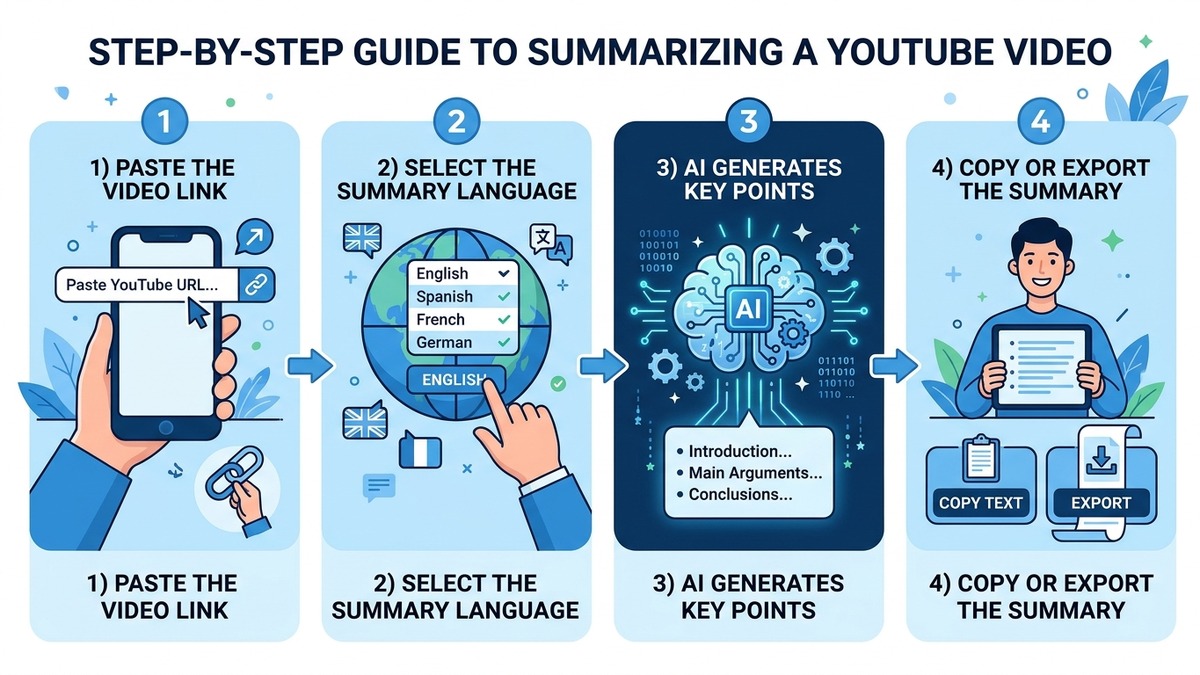
Follow these four steps to get a complete summary of any YouTube video in under 60 seconds.
Step 1: Open Felo Subtitles
Download Felo Subtitles from the official website and launch the application. The free tier supports up to 30 minutes of transcription per session — more than enough for most YouTube videos.
Step 2: Play the YouTube Video
Open any YouTube video in your browser and press play. Felo Subtitles captures system audio automatically — no browser extension, no copy-pasting URLs, no manual configuration.
Step 3: View the Real-Time Transcript
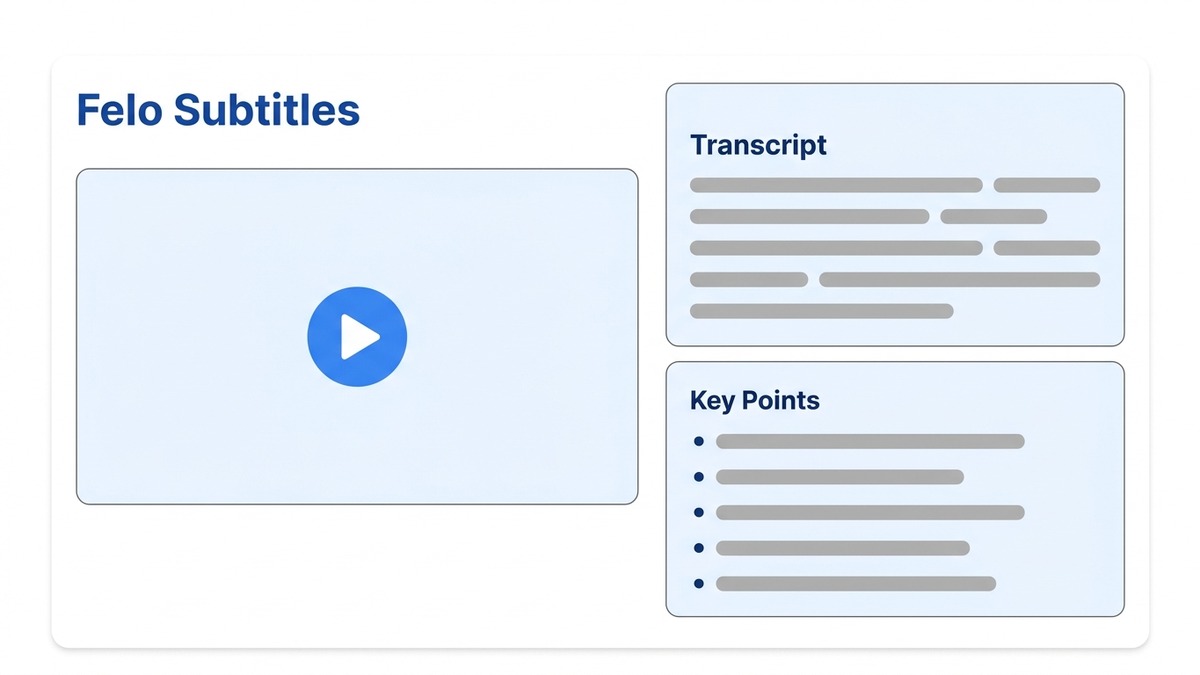
As the video plays, Felo Subtitles generates a real-time transcript in the sidebar. You can follow along, highlight key sections, and see the text appear word by word. If the video is in a foreign language, enable real-time translation to read the transcript in your preferred language.
Step 4: Generate the AI Summary
Once the video finishes (or at any point during playback), click the “Summary” button. Felo’s AI analyzes the full transcript and produces a structured summary with:
- Key points — The 5-8 most important ideas from the video
- Action items — Any steps or recommendations mentioned
- Timestamps — Click any point to jump directly to that moment in the video
You can export the summary and transcript as a TXT file, a formatted DOCX document, or an SRT subtitle file for further use.
Beyond Summaries: What Else You Can Do with Video Transcripts
A youtube summarizer gives you the key points, but a complete transcript unlocks far more possibilities. Here is what you can do once you have a text version of any video.
Repurpose Video Content into Written Assets
Turn a single YouTube video into multiple content formats:
- Blog posts — Use the transcript as a rough draft, then edit for readability and SEO
- Social media threads — Pull the strongest quotes and statistics for Twitter/X or LinkedIn posts
- Email newsletters — Summarize the key takeaways for your subscriber list
- Documentation — Convert tutorial videos into step-by-step written guides
Content repurposing saves 60-70% of the time compared to writing from scratch, according to a 2025 Content Marketing Institute survey of 850 marketers.
Create Accurate Subtitles and Closed Captions
Transcripts can be exported as subtitle files (SRT, VTT) for accessibility compliance or multilingual distribution. This is especially valuable for:
- Educational institutions required to provide closed captions
- Companies distributing training videos across global teams
- YouTubers adding subtitles to reach international audiences
Felo Subtitles can generate these subtitle files directly from the transcription, saving the manual effort of timing and formatting. For a deeper understanding of subtitle formats, see our complete guide to SRT files.
Translate Videos into Any Language
With built-in translation in 90+ languages, Felo Subtitles lets you watch a Japanese tech conference, a German engineering tutorial, or a Portuguese cooking class — all with real-time English transcription and summary. This goes far beyond what a simple youtube summarizer offers: it removes language as a barrier to knowledge entirely.
If you work with Japanese-to-English content frequently, our translation guide covers best practices for maintaining accuracy across languages.
Build a Searchable Knowledge Base
Every video you transcribe with Felo Subtitles becomes a searchable text document. Over time, this creates a personal knowledge base of every conference talk, podcast episode, and tutorial you have consumed. Need to find that one statistic from a video you watched three months ago? Search your transcripts instead of scrubbing through hours of footage.
For professionals who take extensive notes from video content, combining Felo with a dedicated note-taking workflow creates a powerful research system.
Frequently Asked Questions
Q1. Is there a free YouTube summarizer that actually works?
Yes. Several tools offer free tiers, including Felo Subtitles, Glasp, and Summarize.tech. Felo Subtitles provides free transcription and summarization for up to 30 minutes per session, which covers the majority of YouTube videos. The free tier includes AI summaries, real-time transcription, and basic export features.
Q2. Can a YouTube summary AI handle videos longer than one hour?
Most tools can process long-form content, though accuracy may decrease with very long videos (2+ hours). Felo Subtitles handles long recordings by processing audio in segments and then combining the results, maintaining high accuracy throughout. For the best results with multi-hour content, consider processing the video in 30-60 minute segments.
Q3. How accurate are YouTube video summaries?
Accuracy depends on two factors: the quality of the underlying transcript and the AI model generating the summary. Tools that rely on YouTube’s auto-captions typically achieve 80-85% transcript accuracy for clear English speech, dropping to 60-70% for accented speech or non-English languages. Felo Subtitles uses its own speech recognition engine (95%+ accuracy), which produces noticeably better summaries because the AI works from a more accurate source text.
Q4. Can I summarize a YouTube video in a different language than the original?
Yes, if the tool supports translation. Felo Subtitles can transcribe a video in its original language and then translate and summarize the content in any of 90+ supported languages. Most other tools only support summarization in the same language as the original video or require you to use a separate translation step.
Q5. Do I need a ChatGPT subscription to use a YouTube summarizer?
Not necessarily. Tools like Felo Subtitles, Eightify, and Summarize.tech have their own built-in AI models and do not require a ChatGPT subscription. The “YouTube Summary with ChatGPT” Chrome extension does require a separate ChatGPT account, and summary quality improves with a paid ChatGPT Plus subscription.
Q6. What is the difference between a YouTube transcript and a YouTube summary?
A youtube transcript summary is a condensed version of the full transcript. The transcript is the complete word-for-word text of everything said in the video — it can run thousands of words for a long video. The summary distills that transcript into 5-15 key points or a few short paragraphs, highlighting only the most important information. Think of the transcript as raw material and the summary as the refined output.
Summary: Choose the Right YouTube Summarizer for Your Workflow
The best youtube summarizer for you depends on your specific needs:
- For the most complete workflow (transcription + translation + summarization in one tool) — Felo Subtitles is the clear choice, especially if you work with multilingual content or need accurate transcripts beyond what YouTube’s auto-captions provide.
- For quick browser-based summaries — Eightify or the YouTube Summary with ChatGPT extension offer fast, lightweight solutions directly inside the YouTube interface.
- For zero-install simplicity — Summarize.tech requires no account or download; just paste a URL and get a summary.
- For maximum customization — The manual method (transcript + ChatGPT) gives you full control over prompts and output format, at the cost of speed.
No matter which tool you choose, the core benefit is the same: you stop spending hours watching videos and start spending seconds reading the key points. In a world where YouTube content grows by 500 hours every minute, a reliable youtube video summarizer is not a luxury — it is a necessity.
Felo Subtitles combines transcription, summarization, and translation in a single platform, making it the most versatile option for students, researchers, professionals, and content creators alike.
Stop watching hours of video — get the key points in seconds
Free to start · No credit card required